


Week 8
- Alisha Gupta

- Feb 24, 2023
- 1 min read
The following week since the Sketchup model was still being made I spent my time creating test shots of the water effect on the rough images of the model. The way I did this was by creating a shape layer of my water lines over the still frame then selected the Trim paths option to animate over my key frames on the shape layer.
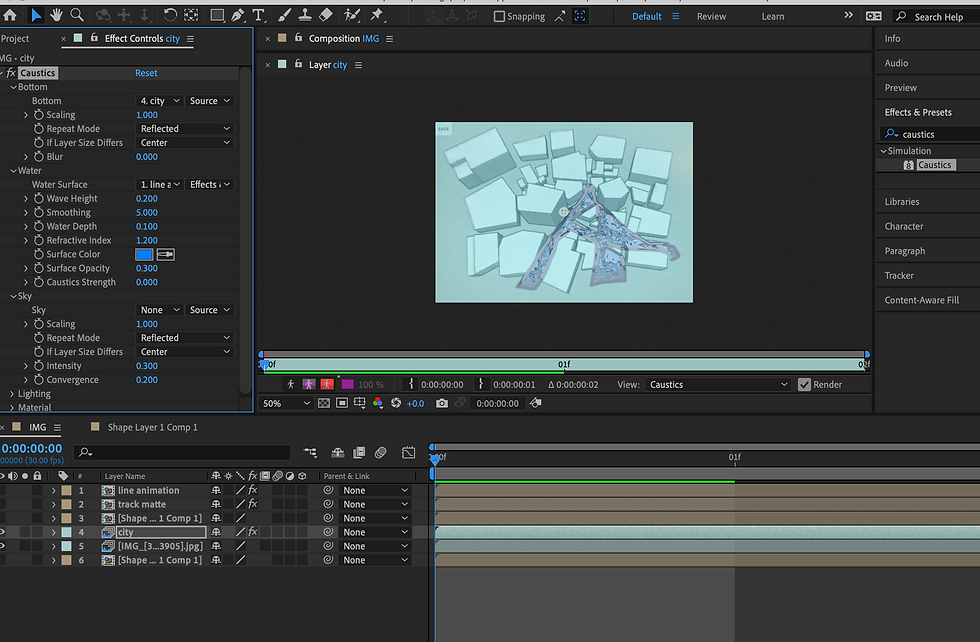
Once the movement was fine I added a fractal noise, vector blue and turbulent displace effect over the layer after creating copies of the shape layer and renaming them Line animation and Track Matte. Since I was following a tutorial I adjusted the effects according to my own liking and proceeded to add a Caustics over the footage to give it a water layer colour that was then combined with the shape layer to mirror the movement of the water with the Caustics.

This took a good four to five practice shots to get right and understand how this effect works which did give a fairly realistic outcome and felt worth it.


Comments